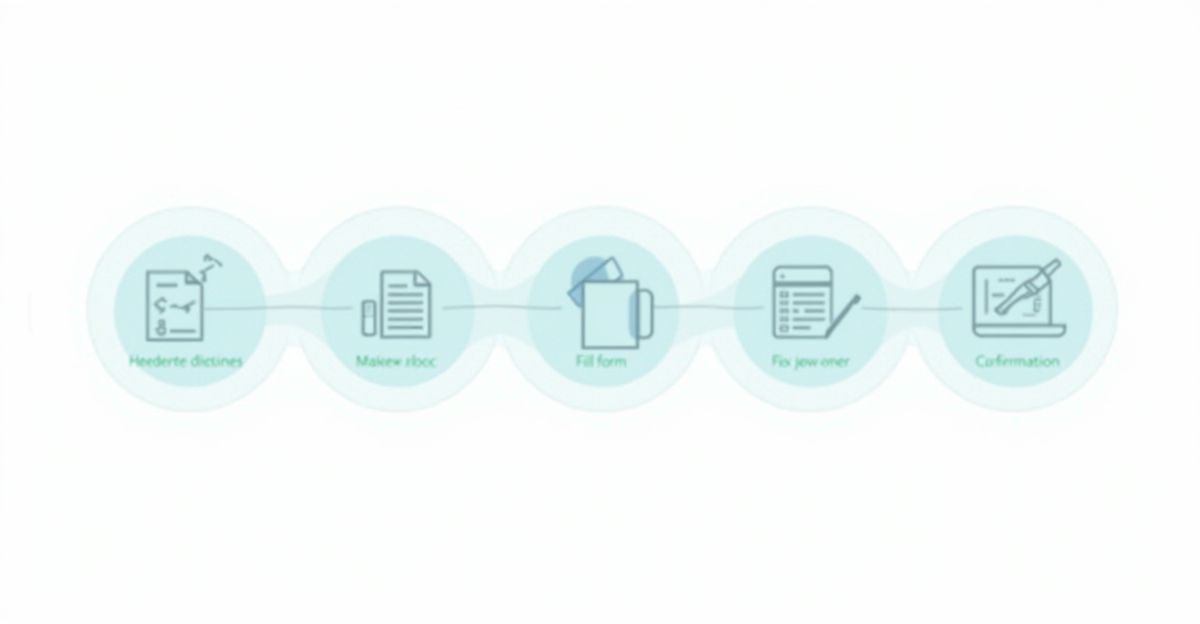
How to File a CT600 Online — Step by Step Guide
If you run a limited company in the UK, you need to file a CT600 corporation tax return with HMRC every year — even if your company made no profit. It sounds intimidating, but the process is more straightforward than most directors expect.
This guide walks you through how to file a CT600 online, step by step, in plain English. No jargon, no accounting degree required.
What Is a CT600?
The CT600 is the form your company uses to tell HMRC how much corporation tax it owes. It reports your company's taxable profits (or losses), capital allowances, and any reliefs you're claiming for a specific accounting period.
Every UK limited company registered with HMRC for Corporation Tax must file one. Dormant companies are an exception: once you notify HMRC that your company is dormant, no CT600 is required unless HMRC issues a notice to deliver one.
When Is the CT600 Due?
You must file your CT600 within 12 months of the end of your accounting period. For most companies, the accounting period matches the financial year shown at Companies House.
For example, if your accounting period ends on 31 March 2026, your CT600 is due by 31 March 2027.
However, the corporation tax payment deadline is earlier — you must pay any tax owed within 9 months and 1 day of the accounting period end. Using the same example, payment would be due by 1 January 2027.
Missing either deadline means penalties and interest, so mark both dates in your calendar.
Late Filing Penalties
For company tax returns with a filing date on or after 1 April 2026:
| How late | Penalty |
|---|---|
| 1 day | £200 |
| 3 months | Another £200 |
| 6 months | HMRC estimates your tax and adds 10% |
| 12 months | Another 10% of unpaid tax |
For returns with a filing date before 1 April 2026, the initial fixed penalties were £100 and £100 respectively. HMRC also charges interest on unpaid tax from the day it becomes overdue.
What You Need Before You Start
Before you sit down to file your CT600 online, gather the following:
1. Company Accounts
You need your company's statutory accounts for the period. These include your profit and loss statement (or income statement) and balance sheet. If you use accounting software like Xero, FreeAgent, or QuickBooks, you can export these.
2. Your Company's UTR
Your Unique Taxpayer Reference (UTR) is a 10-digit number HMRC assigned when your company registered for Corporation Tax. You'll find it on letters from HMRC or in your HMRC online account.
3. Government Gateway Credentials
To file online, your company needs to be enrolled for Corporation Tax on the Government Gateway. You'll use your company's Government Gateway user ID and password to submit. If you use an accountant, they file through their agent portal.
4. Computations (Tax Calculation)
Your corporation tax computation adjusts your accounting profit into taxable profit. This means adding back disallowable expenses (like entertaining clients or certain depreciation) and deducting capital allowances and reliefs.
5. iXBRL Accounts
Here's the part that trips most people up. HMRC requires your accounts to be filed in iXBRL format (inline eXtensible Business Reporting Language). You can't just upload a PDF. Your accounts must be tagged with standardised codes so HMRC's systems can read them.
This is where most DIY filers hit a wall — and where tools like Taxpipe come in handy, as they handle the iXBRL tagging and conversion automatically for micro-entity and dormant companies.
How to File a CT600 Online — Step by Step
Step 1: Choose Your Filing Software
HMRC's own free CT600 filing service closed on 31 March 2026. You now need commercial software to file your CT600. HMRC maintains a list of approved software providers on GOV.UK.
Some options are full-blown accounting suites. Others, like Taxpipe, focus specifically on making CT600 filing simple for directors who already have their numbers ready.
Step 2: Enter Your Company Details
Start by entering the basics:
- Company name and UTR
- Accounting period start and end dates
- Company type (most small businesses are "trading" or "investment" companies)
Double-check the accounting period dates match exactly what HMRC expects. If your company has a non-standard year end or has changed its accounting reference date, these dates must align with HMRC's records.
Step 3: Complete the CT600 Core Sections
The CT600 has several sections. Here's what each one covers:
Boxes 1–35: Company Details and Return Period
Basic identification — registered company name (box 1), Companies House number (box 2), UTR (box 3), type of company (box 4), and the accounting period start and end dates (boxes 30 and 35).
Boxes 40–90: About This Return
Tick-box flags that tell HMRC about the nature of the return — whether a repayment is due (box 40), whether the return contains estimated figures (box 55), whether accounts are attached for the same period (box 80). Most small companies leave most of these blank.
Boxes 95–144: Supplementary Pages
Indicator boxes showing which supplementary forms are attached. Most small companies leave these blank — unless a director's loan account is overdrawn at year end (box 95 triggers CT600A) or the company is a charity or CASC (box 115 triggers CT600E).
Boxes 145–235: Income
Where you report all income:
- Box 145 — Turnover: Your total trading revenue for the period — the "top line" figure before any expenses
- Box 155 — Trading profits: Your adjusted taxable trading profit — accounting profit after adding back disallowable expenses (depreciation, entertaining) and deducting capital allowances
- Box 170 — Interest income: Bank and other non-trading loan relationship profits
- Box 190 — Property income: Net rental income if the company owns property
- Boxes 210–220 — Chargeable gains: Profit from selling capital assets (land, shares, equipment)
If you're a small company with straightforward income, boxes 145 and 155 are often the most important.
Boxes 240–315: Deductions and Reliefs
Claim any reliefs here, including:
- Trading losses carried forward or back (boxes 275, 285)
- R&D tax relief (if applicable)
- Management expenses (for investment companies)
- Qualifying donations / Gift Aid to qualifying charities (box 305)
- Box 315 — Profits chargeable to Corporation Tax: your final taxable profit figure after all deductions. This is the number the tax rate is applied to.
Many small companies won't need most of these, but it's worth checking — unclaimed reliefs mean you could be overpaying tax.
Boxes 326–595: Tax Calculation
The software calculates your Corporation Tax liability based on:
- Taxable total profits (box 315 — profits chargeable to Corporation Tax)
- The applicable tax rate: 19% for profits up to £50,000, 25% for profits above £250,000, with marginal relief for profits in between
- Box 440 — Corporation Tax chargeable
- Box 475 — Net Corporation Tax liability
- Box 595 — Tax already paid (and not already repaid)
Boxes 975–985: Declaration
Sign and date the return. The person signing must be a company officer — a director or company secretary.
Step 4: Prepare and Attach Your Accounts in iXBRL
Your CT600 must include:
- Statutory accounts in iXBRL format
- Tax computations in iXBRL format
As mentioned earlier, iXBRL is mandatory. The accounts need to be tagged against the UK GAAP or FRS 102 taxonomy (or FRS 105 for micro-entities).
If you're using Taxpipe, you enter your figures and it generates the iXBRL-tagged accounts for micro-entity (FRS 105) and dormant companies, plus tax computations — no need to understand the tagging yourself.
Step 5: Review Everything
Before submitting, review:
- Are the accounting period dates correct?
- Does the turnover match your accounts?
- Have you included all income sources?
- Are disallowable expenses added back?
- Have you claimed all available reliefs and capital allowances?
- Do the accounts figures tie back to your bookkeeping?
A few minutes of checking can save months of correspondence with HMRC.
Step 6: Submit to HMRC
Hit submit. Your software sends the CT600 and iXBRL accounts to HMRC electronically. You should receive a submission confirmation (an IRMark receipt) almost immediately. Save this — it's your proof of filing.
Step 7: Pay Your Corporation Tax
Filing and paying are separate. After submitting your return, pay any tax owed via:
- Direct bank transfer (CHAPS, Bacs, or Faster Payments) using HMRC's bank details and the 17-character payment reference from your HMRC payslip (your 10-digit UTR followed by characters that identify the period — use the reference exactly as shown by HMRC, not just your bare UTR, to avoid misallocation)
- Direct Debit (set up through your HMRC online account)
- Debit or corporate credit card via the GOV.UK Pay service
Remember, payment is due 9 months and 1 day after your accounting period ends — which is usually before the filing deadline.
Common Mistakes When Filing a CT600
1. Wrong Accounting Period Dates
This is the most common rejection reason. Your CT600 dates must match what HMRC has on file. If your company changed its year end at Companies House but didn't tell HMRC, the return will bounce.
2. Forgetting to Add Back Disallowable Expenses
Not all business expenses reduce your tax bill. Client entertaining, some legal costs, and accounting depreciation must be added back in your tax computation. Capital allowances replace depreciation for tax purposes.
3. Missing the Payment Deadline
Directors often confuse the filing deadline (12 months) with the payment deadline (9 months and 1 day). By the time they file, they may already owe late payment interest.
4. Assuming Dormant Means No Obligations at All
If your company did nothing all year and you properly notified HMRC of dormancy, no CT600 is required — unless HMRC issues a notice to deliver one. However, dormancy does not remove your Companies House filing obligations (confirmation statement and, where required, accounts). Check both registers.
5. Incorrect iXBRL Tagging
If accounts are tagged incorrectly or use the wrong taxonomy, HMRC will reject the submission. This is rarely an issue with established software but can happen with manual tagging.
6. Forgetting Supplementary Pages
Some companies need additional pages alongside the CT600:
- CT600A — Loans to participators (if the company lent money to directors)
- CT600B — Controlled foreign companies
- CT600C — Group and consortium relief
- CT600E — Charities and community amateur sports clubs
Most small companies only encounter CT600A — typically when a director's loan account is overdrawn at the period end.
What Happens After You File?
Once HMRC receives your CT600:
- You get an IRMark receipt confirming submission
- HMRC processes the return — usually within a few days
- Your HMRC online account updates to show the return as filed
- HMRC may open an enquiry within 12 months of the filing date (rare, but possible)
If you've overpaid tax, HMRC will issue a refund — though this can take several weeks. If you've underpaid, you'll receive a notice with the amount due plus any interest.
Keep your records for at least 6 years after the end of the accounting period. HMRC has 12 months from filing to open a formal enquiry. Separately, HMRC can raise a discovery assessment reaching back up to 4 years from the end of the accounting period (6 years for careless errors, 20 years if fraud is suspected).
Can You File a CT600 Yourself?
Yes. There's no legal requirement to use an accountant. Many directors of small companies with simple affairs file their own CT600 successfully.
That said, the iXBRL requirement and tax computation adjustments are genuine hurdles. If your company has straightforward trading income, few expenses, and no complex reliefs, a tool like Taxpipe makes self-filing realistic — it walks you through the CT600 sections, generates iXBRL accounts for micro-entity and dormant companies, and submits directly to HMRC.
If your affairs are more complex (multiple income streams, R&D claims, group structures), consider getting professional advice at least for the first year.
Quick Checklist: Filing Your CT600
- Gather your company accounts, UTR, and Government Gateway credentials
- Prepare your tax computation (adjusting profit for disallowable expenses and capital allowances)
- Choose HMRC-recognised filing software
- Enter company details and accounting period
- Complete the CT600 boxes — turnover, profits, reliefs
- Generate iXBRL-tagged accounts and computations
- Review all figures carefully
- Submit electronically and save your IRMark receipt
- Pay any Corporation Tax owed before the 9-month deadline
File Your CT600 the Easy Way
Filing a CT600 doesn't have to mean expensive accountant fees or wrestling with iXBRL tagging. Taxpipe is built for company directors who want to file their own corporation tax return — quickly, correctly, and without the headache.
Sign up at taxpipe.co.uk and file your next CT600 in minutes, not hours.
Ready to file?
Taxpipe makes CT600 filing simple. Our guided wizard handles everything — tax computation, iXBRL accounts, and direct HMRC submission. One-time fee of £59 + VAT, no subscription.
Related articles:
Need help with specific boxes? CT600 Box by Box Guide →
Related Articles
- HMRC Free Filing Ends March 2026: Your Best Alternatives
- How Long Does HMRC Take to Process a CT600?
- Making Tax Digital for Corporation Tax
- How to Use HMRC Government Gateway to File Your CT600
- Director's Loan Account and Corporation Tax
- Accountant vs DIY CT600 Filing Compared